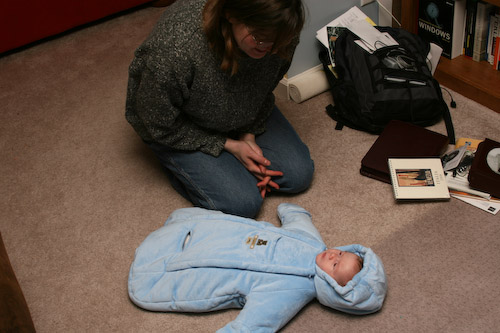
We’ve got a few more pictures here for you tonight. David is 2 months old today!

And here’s what may be my favorite…

Ramblings of a geek with a few hobbies…
We’ve got a few more pictures here for you tonight. David is 2 months old today!

And here’s what may be my favorite…

I know a lot of people that disable the System Restore feature of Windows (XP and Vista), and I just don’t get it. Whenever an update is applied to the system, a checkpoint is created of the system configuration (some registry keys, services, system dlls, etc.) and if something goes wrong with the update you can quickly rollback to a checkpoint.
This has saved me on more than one occasion from an errant Windows Update and even regular software install. Case in point, this morning I went to upgrade my copy of VMWare Workstation 6 from 6.01 to 6.0.2 and the install sat there for 30 minutes before I had to kill it. That left VMWare in a completely toasted state and wouldn’t start. Greaaaat.
After looking around my system, I saw that none of the app’s files had been removed. It just looked like one (at least) of the services that it depends on was removed from the system (just a registry entries). Whew, a system restore to a checkpoint of just an hour earlier (due to a Windows Update) fixed the problem and I’m back up and running.
I highly recommend leaving the System Restore feature turned on.
We had the second meeting with Ana’s new hematologist today. Some good things and some less-desirable things came out of it.
Good things:
He describe, as we’ve known, diagnosing ITP is done by ruling out other causes. Unlike the previous doctor, he is actually actively running tests and ruling things out. As expected, everything is ruling out ITP and getting her prepared for a potential treatment by the spleenectomy.
Not so good things:
So she’ll be on the full dosage of prednisone for two more weeks. If her levels go down, it’ll indicate that the steroids aren’t doing anything and she’ll be weaned off them and the next step will be the spleen removal. If after two weeks her counts are stable, they’ll ween her after 4 weeks and keep testing. If once she’s off, her counts drop, the spleen will be removed.
The big change in this release was the conversion over to a tag-based system for Categories (both Recipe Categories and Ingredient Categories). So now instead of going to a separate tab and drag-dropping a recipe into categories, you just type the categries in as a comma-separated list. For example: “eric’s favorites, desserts, chocolate” will put that recipe into 3 categories that you can then search by.
The recipe slide show was also updated to make it more usable. The ingredients are now shown all of the time alongside the directions, with the applicable ingredients highlighted for the current step.
And as usual there were bug fixes and other small changes here and there.
He has been starting to smile a lot more recently, although trying to catch it with a camera (still or video) seems to be about as elusive as the Loch Ness Monster. Anway, here’s a quick little clip followed by some hiccup action.
A few days ago Brian introduced me to a little piece of software called Launchy that has quickly displaced my Windows Vista Start Menu Search. It is much quicker than searching with the Vista start menu and has a lot more features.
It’s like a smart Run window (you know, the window that pops up when you click Start…Run in Windows), where you can do a bunch of different things with it depending on what plugins you have installed. For instance, if I want to quickly check the Weather:
Alt+Space (to bring up Launchy), type “weather <tab> 62712” to go to weather.com for the 62712 zip code.
Ever need to do some simple arithmetic, but are annoyed by having to open Calculator?
Alt+Space (to bring up Launchy), just type in the math you want to do and the calculator plugin will give you the answer.
It’s also great for opening programs, just start typing the application name. It’ll also learn what you launch most so it’ll take less and less typing as time goes on. It’s even pretty looking, and stays out of your way:

It’s Open Source and available free of charge, check it out! It was designed for XP and makes no mention on the website about Vista, but works as designed.