The Johnson Blog

Ramblings of a geek with a few hobbies…

  • Monitor Calibration with the Spyder 3 Pro

    Over the past few years as I have gotten into photography more, I have been farily successful at ignoring the fact that my monitor(s) weren’t the best and probably weren’t outputting color correctly.  Every now and then I’d tinker with Adobe Gamma but give up after nearly going cross-eyed (you know what I mean if you’ve used that tool before).  So instead of having a good baseline color profile to edit photos with, I would just keep in mind the color casts or contrast issues my monitor has and try to adjust accordingly.  Photos would end up looking decent on my machine and a little crappy on others’ and in print.  I could live with that.

    As I added multiple monitors to my PC, the situation became maddening.  I would get done tweaking an image, only to slide it to another monitor and have it look like crap.  Which one was correct? Or more accurately, which one was closer to correct?! 

    So about a month ago I gave in and purchased the Datacolor Spyder 3 Pro, and I must say that I’m very happy with it.

    It goes like this – after you install the software and drivers you’re asked to calibrate your monitor(s).  Monitor by monitor, you’re asked questions about the display controls you have available to you (brightness, contrast, etc) and are then instructed to attach the device to the screen at a location indicated by the software.  You can attach it with the built-in suction cup or by slinging the counter-weighted cable over the monitor and dangling it there.  I have only used the suction cup method and not bothered with dangling.

    After getting the device positioned, the software cycles through the spectrum to figure out how your monitor is outputting color and what needs to be done to correct it.  When it’s done, the result is a system color profile that gets installed so that any “color managed” applications (fancy term for applications that know how to use color profiles) will display images more accurately.

    The Spyder 3 Pro also keeps an app running in the background that uses the hardware device’s ambient light sensor to detect when the light has changed sufficiently that you’d need to recalibrate.  And finally, you can have it notifiy/remind you at sent intervals to reclibrate the monitor – because over time your monitor changes. 

    Initial calibrations take 7 minutes per monitor, and those periodic reclibrations take 3.  I don’t have anything to compare this to, but have read that older models took considerably longer.

    To date, I haven’t really found any negatives with this thing.  I am glad I purchased it, as it has taken alot of the second-guessing out of photo editing.  If you’re someone that has invested heavily in your camera equipment, computer and editing software, you seriously owe it to yourself to get one.

    OK, that’s all.

  • Tickles

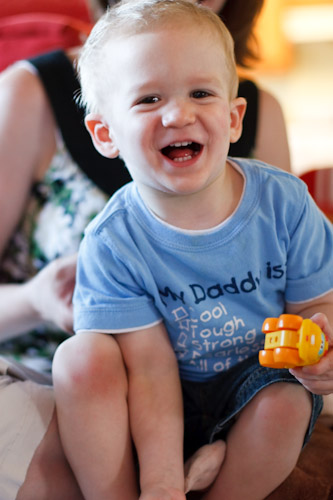
    David was all laughs tonight before going to bed.  Here are a couple shots of the tickl-er and tickl-ee

    img_7879

    img_7880


    As they say.. “and fun was had by all”.

  • VMWare Server 2 and Windows 2003

    A couple times now in the past several months I’ve needed to install or upgrade VMWare Server 2 running on Windows 2003 and ran into a problem that takes a little while to re-discover the solution for.  This is for future reference and to help others that may hit this in the future.

    The problem is that after installing or upgrading VMWare Server 2, my host machine will no longer be able to be reached across the network.  It can communicate (ping, etc) out, but not the other way around.  Hosted virtual machines also have full connectivity, and they can receive communications from the networks.  It’s very strange, but the solution has been to Disable Routing and Remote Access, reboot, and re-enabled it.

    Once that’s done, everything is normal.  Fun Stuff.

  • Concentration

    This afternoon, David layed on our floor with a pencil and pad of paper and “drew” for over an hour.  Just quietly flipping pages and drawing all over them.  He even insisted on taking his tools to dinner with us where he continued to scratch his thoughts down.  All-in-all, he spent about 2 hours at it.

    img_7527

    img_7563

    It’s so fun to watch him problem-solve and learn things.  As he was scribbling he couldn’t keep his pencil as still as he wanted, so he steadied it with his other hand as he slowly and deliberatly moved the pencil to where HE wanted.  Then talk to himself and start on the next page.

    More photos available.

  • Happy Birthday Ana!

    Today is Ana’s 30th birthday!  The day didn’t go quite as smooth as she wanted for her birthday (leaving work later than desired, having to get a raincheck for dinner out thanks to David’s head-first, running swan dive off of a couch, etc.) but it’s looking up! 

    Here’s Mom and son after having enjoyed the birthday cake (made by your’s truly). 

    img_7517

    The cake wasn’t a looker, but tasted pretty good.  And I think you’d be hard pressed to find another one with “11110” in candles…

  • Busch Stadium

    Friday night Ana and I were able to make it to our first Cardinals game of the year.  The weather was fantastic, the food was delicious, and the Cards handily defeated the Royals.  What a great way to spend a Friday night.

    I of course took my camera and grabbed a few frames.  This is my first multiple exposure blend, courtesy of Photomatix, and I think it does a good job of capturing the great weather we had.  Click to enlarge.

    busch

  • Lots of Yardwork

    The past couple weekends have been full of yardwork for the Johnsons. Last weekend we purchased and planted a tree out front, and this weekend we’re getting the garden all ready to go for the year. I had a cubic yard of dirt delivered yesterday to top off what went missing from last year (where does it go??). This morning I ran over to Sunbelt Rentals for a tiller and got the dirt all ready for Ana to get things planted. She’s working away on that as I type.

    Kudos to Sunbelt Rentals, I was able to submit a reservation online for the tiller while I was still in bed this morning.  Much better than talking to someone on the phone!

    Our grass has greened up nicely – due in large part to the first aeration we’ve had done to it (thanks www.trylawns.com), followed by round 1 of Scott’s fertilizer.  And to top it off, Ana’s Azaleas are starting to bloom.

    img_6583

    Our neighborhood gets VERY windy, so I followed the advice of a neighbor and tied the tree down.  Rest safe, Springfield, my tree won’t be wandering out of the yard anytime soon.

  • To the Zoo!

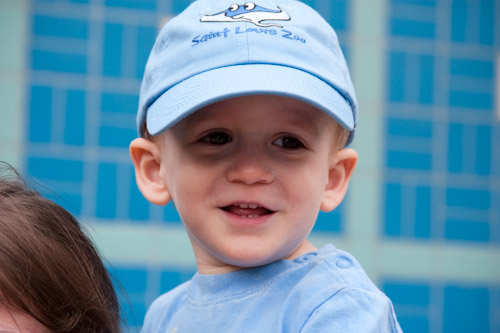
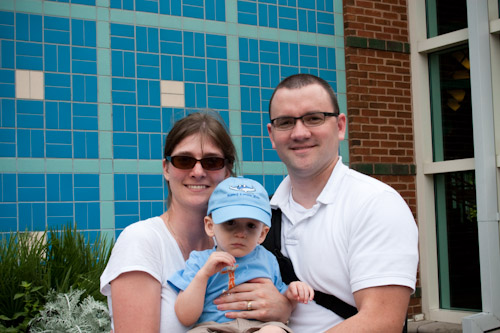
    Given the final arrival of spring (or did we just skip to early summer?), we decided to take a day trip to the St. Louis Zoo.  So after eating breakfast, we loaded up the van and headed south.  Upon arrival, we were greeted by quite a bit of traffic in Forrest Park and lots of zoo-goers.  Not too surprising for such a nice day, but it still felt like parking at the Arch would have been closer.

    David got to get up close and personal with a few of the animals, starting off with a few monkeys.  Good thing that glass was there – that monkey would have been missing a handful of hair if not.

    img_6402


    After that encounter, he was on the lookout for animals!

    img_6408

    img_6492

    We had lots of fun, and look forward to going back.  In fact, we purchased a family membership – so we WILL be going back.   More photos available.

  • Kites

    I don’t know what it is, but Ana and I really enjoy flying kites.  Since it was finally warm when Ana and I got off of work, we thought it would be fun to take David to the park and introduce him to a kite the Easter Bunny left for him this year.

    img_6172

    img_6180

    img_6192

    Beautiful weather, and a good time.  A few more photos in the gallery.