The Johnson Blog

Ramblings of a geek with a few hobbies…

Tag: antenna

  • Antenna Move

    Two weeks ago I moved my main antenna from my front yard to the first floor roof – above my garage. I was skeptical of how well it was going to work, but tried it anyway, screen and all.

    The results were positive – that little antenna continued to do great for DX on 10 meters and the new position provided an improvement for the local 2 meter and 70cm nets. I was sold!

    It just didn’t look great with a mag mount antenna, sitting off kilter on the roof.

    Two days ago I ordered 75′ of coax and it was delivered today. As I sat at my desk after work, poking around on FT-8, I couldn’t resist the urge to see how it would do on the SECOND story roof. Longtime followers may remember many years ago I had a wifi antenna up on the (fake) chimney column, so I’ve been itching to see what this antenna would do up there. 30 minutes and a nervous climb later, the mag mount was happily resting on the chimney column. (No photos, I didn’t take my phone up with me).

    The real test came later tonight when I tuned into the local ARES Simplex net – one I’ve historically struggled with. I’m usually hear a fraction of the operators, and only a handful hear me.

    Not tonight! All but one was crystal clear and many reported hearing me very well. YES!

    So now the research will begin for a more permanent antenna, but this one will do for a little while! You know what they say about permanent temporary solutions… 🙂

    73.
  • Fixing My Mobile Antenna Wind Noise

    A couple of months ago I purchased the Comet SS-680SBNMO UHF/VHF antenna for my truck and paired it with a mounting bracket.

    It has worked very well except for one major annoyance. Wind noise above 60mph. As soon as I go over 60, the high-pitched whistling gets louder and louder. After 6 hours in the car last weekend, I just couldn’t stand it anymore. The thought of highway speeds for an extended period of time makes me want to take the antenna off.

    After noticing the stock antenna’s spiraling wire running its length, followed by some googling, I learned that that is a common way to avoid the noise I’m experiencing. I saw a few forum posts about DIY’ing it with string and heat-shrink tubing. So that’s what I set out to do this morning.

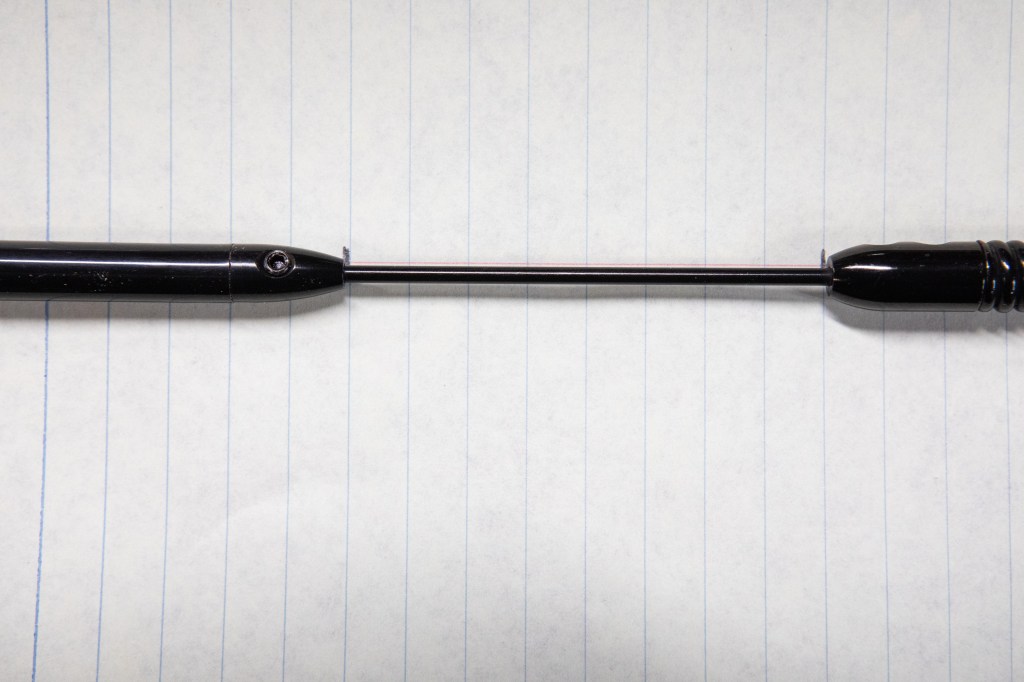
    The first step was to disassemble the antenna so I could get the small segment wrapped, capturing the distance between segments before taking them apart.

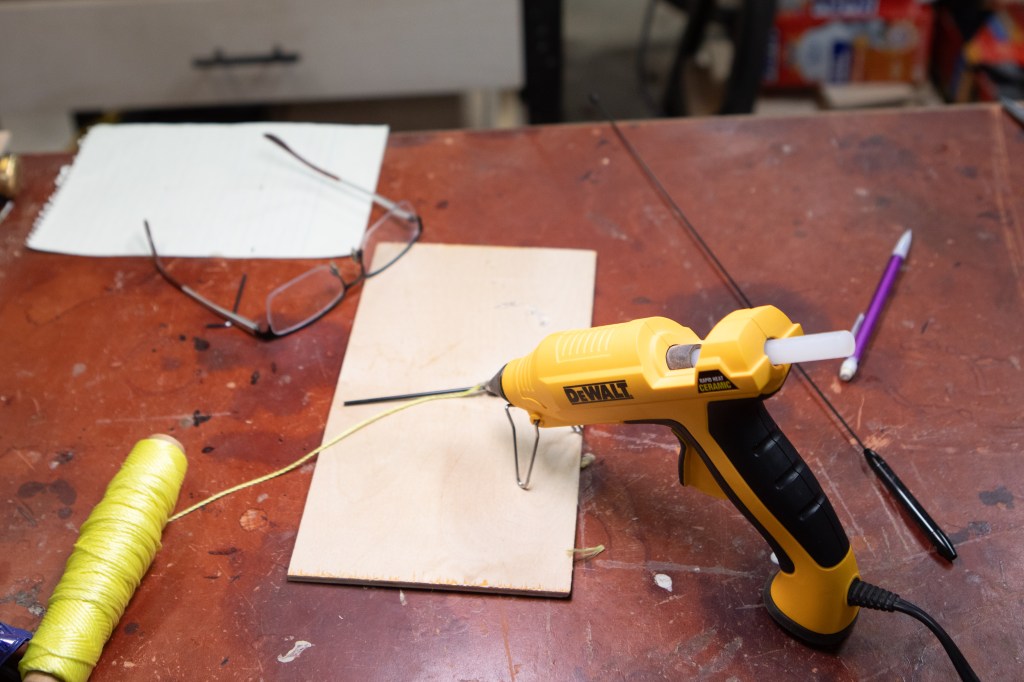
    Next was to spiral some nylon string around this small segment. Keeping the string in place was tricky until I pulled out the hot glue gun and tacked it into place.

    Once secured on one end, it was easy to wrap the string and slide the heat shrink tubing over it and into place. I used 1/4″, 3:1 tubing from Amazon.

    Tubing heated, it looks pretty good!

    I repeated the process for the main antenna segment, again using small dabs of hot glue at strategic locations – top, middle, bottom.

    After sliding the tubing over this section and heating it, it didn’t look horrible.

    The real test was getting out on the interstate. Sure enough, at well above 60 Mph there’s no annoying whistling!

    It is worth noting that the antenna is significantly thicker, and a tad bit heavier now. As such, it bends much more in the wind. Thankfully it doesn’t appear to impact receiving or transmitting; I tossed out my callsign and quickly got a response with a good signal report (thanks KD9WHG!).

    So there you have it, it works!

  • Heights and XM Radio

    A couple of months ago I purchased a Terk XM6 XM Radio Antenna because the reception I have been getting in the office has been poor and unpredictable.   Due to some procrastination, the new antenna has been sitting in its packaging waiting to be installed ever since.

    Until today.  This morning I decided it was time to get back up on the 2nd storey roof of my house and replace the now-inactive Wifi antenna with XM.  I’m not a fan of being that high up, particularly on a cold and windy day.  In fact, as I climbed up the ladder and took a look at my target, I came very close to saying screw-it and just mounting the antenna on the side of the house.

    Not to be easily defeated – I pushed ahead and swapped the antennas.  I had to run new cable (RG6 Quad Shield) instead of using the existing, superior cable (LMR400) so that I could get the appropriate connectors attached.  Due to how securely Jay put that other cable up, and how cold it was, I decided I’ll make another trip back up in warmer weather to pull it down 🙂

    So now my office has an XM jack, 100%  (versus maybe 20%, according to the receiver) signal reception, and won’t cut in and out when someone walks through the room!   The project isn’t completely done, however;  I need to order a 2.4Ghz splitter so I can feed the signal to the basement and possibly another room in the house in the future.

  • Transpalisades, RIP

    Jay and Katherine are finishing up their packing before moving into a new house, and Jay just called to let me know that he powered down his end of the link.   So as of noon today, the Transpalisades network is no more. 

    It turned out to be a great network and a fun learning experience, now I need to decide if I want to get on the roof to take the antenna down, replace it with an XM antenna, or what. 

    One big downside to it being gone is that Comcast is my only network connection to the outside world.  Before, when it had issues I could simply reroute my internet traffic over to his house and through his internet connection.  Yesterday when I my connection dropped I had no recourse, and it sucked.