The Johnson Blog

Ramblings of a geek with a few hobbies…

Author: eajhnsn1

  • Favorite Software?

    Leaving development tools aside (ahem, Visual Studio, ahem), what are your favorite software titles?  You know, the ones you use daily, are truly useful, you couldn’t live without, and are just plain fun.  Here are mine, in no particular order:

    1. Microsoft OneNote 2007 – This is such a little known piece of software, but one that organizes almost everything I do throughout the day.  I’ve taken a few recommendations from some sites here and there and implemented my own Getting Things Done (great book too) system using OneNote.  If you find yourself scribbling down things on paper or typing things up in random text files that are strewn all over the place, you should give OneNote a try.

      I’ve got two notebooks setup, one for work and one for everything else.  They both have pretty much the same structure/sections: Today; Current Month; Active Projects; and Archive.  Each of those contains pages with information tagged with customized OneNote tags (Processing, Project, Follow-up, etc).

    2. Adobe Photoshop Lightroom 2I’ve mentioned it here before, I know, but it’s great software that takes care of all things photos.
    3. TrillianI’ve been using this multi-service chat client for many years now.  It works and is always running on my machine.
    4. TrueCryptTransparent and on-the-fly encryption.  What’s not to love.  I use it in conjunction with the next entry.
    5. KeePass – A couple months ago I got sick and tired of resetting my passwords on a slew of online sites.  So I found this great utility.  I’ve always avoided using password keepers in the past, but finally gave in.  It takes security serious, and I store its data file in a TrueCrypt volume.
    6. Snaptune One – They appear to be out of business now, but I use it to record AM/FM radio with my RadioShark on Vista, since the original software doesn’t work on Vista.
    7. Windows Media Encoder – I don’t use this nearly as much as I used to, but recently got it back up and running.  I use it in combination with Windows Media Server to stream XM Radio and the RadioShark, so on the rare occasions I’m not here at my desk, I can still have audio choices.
    8. ISO Recorder – I make images of the mini-dvds from my camcorder.

    Anyone care to share their favorites?

  • Lightroom 2.1

    Adobe releaed the much awaited 2.1 update to Lightroom this evening.  I’ve been using version 2 for a couple months now, and found it to be head and shoulders above version 1.x.  There were definitely performance problems, but once I made a few performance tweaks, it was usable and worth the headache for the new features.

    I just installed 2.1 and gave it a very quick walk through.  So far, it appears they have done a great job on the performance issues.  The general UI is back to being as snappy as I remember 1.x being, and the local adjustments brush introduced in 2.0 is now nearly instant even without the tweaks mentioned above.  Way to go Adobe, and thank you!

    I haven’t even looked at the feature list for 2.1 yet, I wonder what else was added…

  • Park

    Springfield had fantastic weather today, so we decided to head to a park.  The leaves are turning and the air is nice and crisp.  Gotta love it.

    After a while here, we headed to the zoo where David got to ride on a Hippo.  More photos available.

  • 10 Months

    Yesterday David turned a whopping 10 months old, so we had our montly photo shoot.

    As I’m transitioning to my new photo gallery, I’m password protecting some areas.  So, if you’d like to see the full collection – shoot me an email at ej@ejinnovations.com and I’ll grant you access.

  • He’s All Over

    David is mastering his walker (or whatever you call these things) and is all over the place now in it.  Here are a few clips of him gliding through the kitchen.  You’ll notice this thing has a predisposition for turning left – I took a look at it and the front wheels are designed that way!  Quite stupid in my opinion, I might look around and see if I can find some replacements.

    http://www.motionbox.com/external/hd_player/type=hd,video_uid=a790d3b71e1ee12e

    And finally, some photos.

  • October, already?

    And before we knew it, it was October!

    David was outside for a while this evening enjoying the cool weather and the great sunset light (ok, that last part was me).

    Look, he sees his shadow!  Does that extend summer?

  • Busy, Busy Saturday

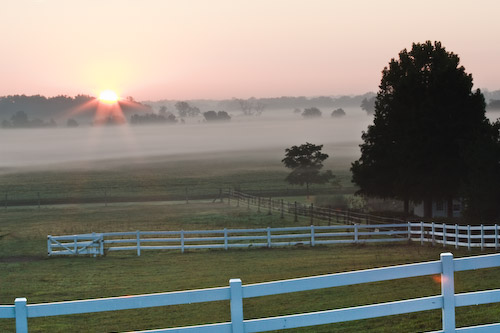
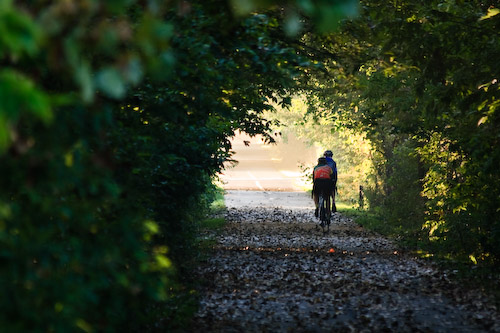
    Ever since we moved into our house I’ve driven right by a nice spot that has begging me to just get out of bed early with a camera to see  what I could capture.  The past couple weeks have brought these calls even louder, with the great sunrises and rolling fog.

    This morning I met up with Jay at sunrise and we wandered around near Route 29 at Hilltop Road, and got some pretty good shots.  I’m very happy with the results and think I’ll be getting a couple of them framed and put up in the house.

    Here are a couple of previews.  View the collection on my new, SmugMug hosted site ejiphotos.com.  Here’s a direct link to the slideshow.  Enjoy!

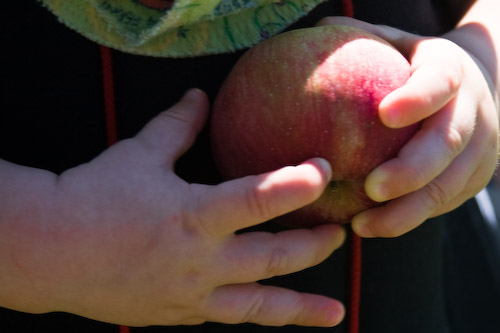
    We then made a trip to Carlinville, IL to Bloom’s Orchard for some apple picking. David had a blast and slept the entire way back, woo!

    Pumpkin Suicide is sad, and preventable 😦

    We finished up the day with Jay and Katherine stopping by for dinner and some TV. Happy weekend, everyone!

  • Lightroom 2: Output Sharpening

    Since installing version 2.0 of Lightroom, I’ve been ignoring the new export option for Output Sharpening.  It has been sitting there on the screen but I’ve always been in too much of a hurry to try it out and see the results.

    Over the weekend I decided to change that.  What it does is allow you to select how your photo will be displayed/printed and the level of sharpening you want applied when the photo is saved out to disk.  Ana and I were going to be getting the family portrait I took printed, so I thought it would be a good time for a side-by-side comparison.  I quickly exported two copies of the same photo, one without sharpening and one with Matte Paper, Standard as the sharpening options:

    I print our photos with Shutterfly, and by default they’ll print the filename on the back of the photo.  So I named one ForMatte and the other NoSharpening; now I can compare side-by-side without bias once I receive the prints (8×10, btw).

    Here are a pair of 100% crops from the two images.  As you can see, the ForMatte version looks less than desirable so I didn’t get my hopes up.

    ForMatte:
    NoSharpening:

    The prints arrived yesterday, and I was able to tell a very distinct difference between the tho photographs.  One looked a little fuzzy, something I had come to expect from matte prints and one of the reasons I have started leaning toward glossies.  The other looked very nice and sharp.

    Flip them over, and sure enough, the one with the Matte sharpening applied is the one that looked better.  Lesson learned. I’ll be applying that on all of my prints from now on.

  • slotMusic?

    I heard about these yesterday, a new media format some of the big labels are trying to push now.  It’s a microSD card “loaded” with an album.  Give me a break!

    What morons thought this was going to sell?  Apparently some major record labels that still just can’t wrap their head around the idea of digital distribution.   These things are tiny, who wants to shuffle these around all the while trying not to lose them?  No thanks, I’ll stick to MP3s sitting on a nice big hard drive.  Nice try.