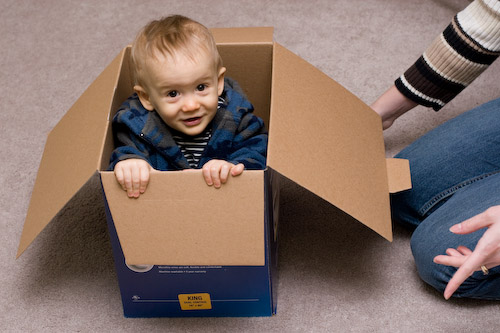

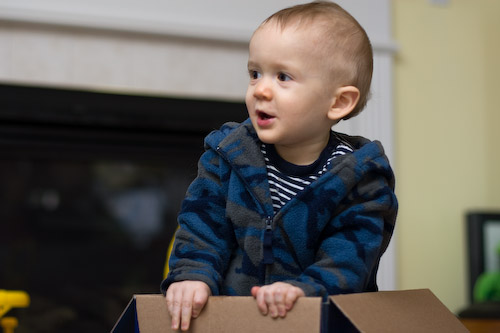
Need I say more?
Ramblings of a geek with a few hobbies…
OK, just a few more words about my data backups.
Last week I ordered a few Army Surplus, 30 Caliber Ammo Cans, they arrived today. What the heck are these for, you ask?

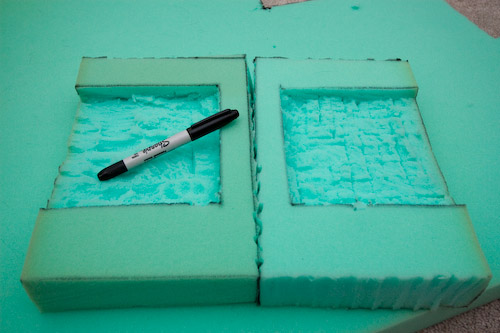
Well I thought they could make a great way to transport and store the hard drives I’m going to be rotating off-site. So tonight I got to work with a knife and some dense foam, to create what should be a pretty sturdy (and water-resistant!) hard drive case.
And here it is, with a spare drive not quite halfway pushed in. The foam cutting was crude, and it may not be pretty, but I like it.
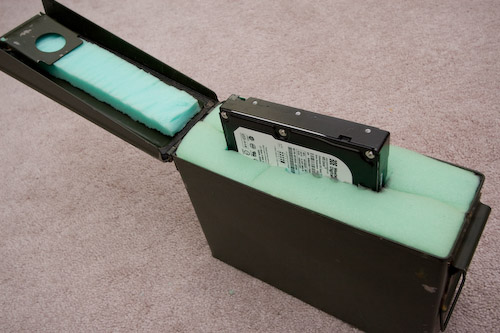
The cans are $4 apiece + shipping.
David has accumulated plenty of coats and jackets, the the point that it seems like they’re everywhere. Last weekend I thought it would be fun to make something to hang them from. Well, since David enjoys hippos….
I started off drawing the little guy in PhotoShop Elements with my tablet…

(wow, enough dust in there? sheesh)
Printed, cut it out, traced it onto a piece of wood…

A few minutes of jigsaw work and it’s ready for some paint! Notice the wooden version lost a tail – it was just too thin for my skills and tools to be able to cut. After the paint I’ll be putting it atop another piece of wood along with some coat hooks.

It was fun and took just over an hour from drawing to cut-out.
My 2.5 year-long haitus from being connected on-the-go is over. I finally took the plunge and switched from Sprint to AT&T and bought an iPhone (8GB). Sprint has provided great service over the past 5+ years, but their phone selection has been lacking. Sorry, Sprint, the HTC Touch Pro and/or Diamond just don’t compare.
First, some background.
Last week I received the final pieces of my backup strategy, a pair of 500 GB hard drives that I will be rotating periodically to some undisclosed location that isn’t my house. Right now, my fileserver makes backups and sticks them on a mirrored RAID array. These drives are simply to hold extra copies of these backup files in the event of something Very Bad(tm) happening to our house.
Since it will be leaving my house, I decided I wanted to make sure the data was wrapped up in a nice blanket of encryption goodness. For ease of use, I have an eSATA docking station that allows the drives to be ‘hot-swapped’ – and for further convenience I’m attaching it to my desktop instead of the server so that it will be harder to forget to rotate the drives out (in the basement = out of sight, out of mind).
So all of this presented an opportunity to learn the relatively-new command line environment, Microsoft PowerShell.
The scripts (feel free to download) do the following:
Since this was my first use of PowerShell, I’m sure there is a lot of room for improvement and that I’ve only just scratched the surface. That said, I learned enough about PowerShell that I’m going to keep pushing to learn more.
A few things I like:
A few things I dislike:
Today I had lunch at a restaurant I have never eaten at before – The Feed Store, in downtown Springfield. Was it good? Meh. The sandwhich I had wasn’t anything that I couldn’t make at home, I’ll leave it at that.
What did turn me off was their lack of adherance to what I’ll call Restaurant Protocol. I’ll explain. A friend and I got in line behind a few other customers and waited our turn. The first protocol deviation came with the orders being taken in the line and not up at a counter, register, or at the table. In fact, while the counter did exist, its only purposed seemed to be to barricade the workers into the kitchen. Poor workers.
Next, when it was our turn to order, what I did not realize was that “our turn” was supposed to entail knowing what we wanted to eat without having ever been there before, or having looked at a menu. The waitress looked and sounded confused when we asked for a menu and more time to figure out what to eat. It felt like we had screwed up some secret Feed Store Handshake. So she handed us a pair of menus and ackwardly tried to figure out where we should stand while she took the next customer’s order. It very much felt like this situation had never arisen and they just didn’t know what to do – I mean who goes to a restaurant and not know what they’re going to get!?
We later place our order, and then she explains how we get our food… get this – we each received a slip of paper with a serial number on it, were told where to sit, and were then instructed to listen for our number to be called, and upon hearing it, raise our hands. Raise our hands?! Since when are the little numbers that sit on your table insufficient? No, that would be too normal! Instead, don’t try to have a conversation while you’re waiting for your food lest you’ll never hear your sacred number being called by the woman at the front of the noisy restaurant. I failed, and missed my number being called. Damn you, Feed Store.
I think the only worse method for distributing the food would be to just pass the plates from table to table until it gets to the person that ordered it – a.la. beer at a baseball game.
So I give The Feed Store a failing mark. The food was ok, but you’ve got to stick with the protocol unless your food is amazing; otherwise it will just feel like you’re eating in the Twilight Zone. I’ll stick to Monty’s, Jimmie John’s, Head West, and even Subway.
He’s 11 months old today, kinda crazy. The rest can be seen in the gallery.


Quick little story about the backdrop. I had grand plans of it looking a lot better/different than this. I started last night first dying the muslin solid yellow. Then I tied it into ball and dyed it tan, producing a nice mixture of the two colors. Finally, I tied it up again an dropped it into a dark brown dye. Unfortunately, I didn’t tie the ball tight enough and the dark brown overpowered the other layers – completely ruining the autumn-looking backdrop I wanted. The end result still looks ok, just not what I had planned 😦
A couple of months ago I purchased a Terk XM6 XM Radio Antenna because the reception I have been getting in the office has been poor and unpredictable. Due to some procrastination, the new antenna has been sitting in its packaging waiting to be installed ever since.
Until today. This morning I decided it was time to get back up on the 2nd storey roof of my house and replace the now-inactive Wifi antenna with XM. I’m not a fan of being that high up, particularly on a cold and windy day. In fact, as I climbed up the ladder and took a look at my target, I came very close to saying screw-it and just mounting the antenna on the side of the house.
Not to be easily defeated – I pushed ahead and swapped the antennas. I had to run new cable (RG6 Quad Shield) instead of using the existing, superior cable (LMR400) so that I could get the appropriate connectors attached. Due to how securely Jay put that other cable up, and how cold it was, I decided I’ll make another trip back up in warmer weather to pull it down 🙂
So now my office has an XM jack, 100% (versus maybe 20%, according to the receiver) signal reception, and won’t cut in and out when someone walks through the room! The project isn’t completely done, however; I need to order a 2.4Ghz splitter so I can feed the signal to the basement and possibly another room in the house in the future.
Unfortunately I wasn’t able to make it to the Shoo-sponsored blogger Photowalk in Washington Park on Saturday, although it sounded like a lot of fun. Maybe next time 😦
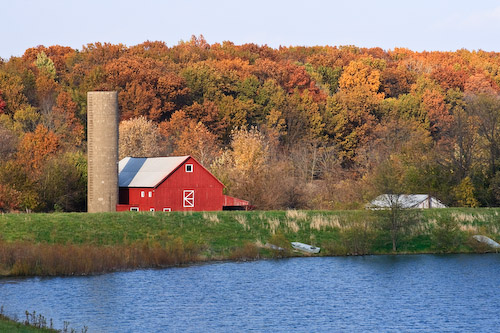
However, this afternoon I was able to sneak out for a few minutes to capture a barn here in Springfield (off of Veteran’s Parkway) that I’ve had my eye on for a while. When Ana and I were leaving the State Fair this year, she looked over and spotted it and we both agreed that it would look great in the fall. And here we are, more great colors:

Ana made David’s costume, and did a great job. I present to you the Halloween Hippo! We’re hoping to get the most out of the costume, so don’t be alarmed if you hear about a Hippo being found out on the town.
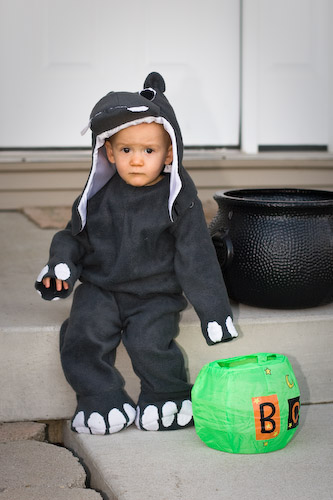

No candy for this little guy, but we did take him on the grandparent tour this evening. More photos in the gallery.
 The Johnson Blog